
Yikop - Video Chat,Share
Chengdu Dream Linkage Technology Co., Ltd.Lifestyle
3.851.00 Reviews
- Version
- 1.1.14
- Installs
- 1.00M
- Age Rating
- Teen
Screenshots





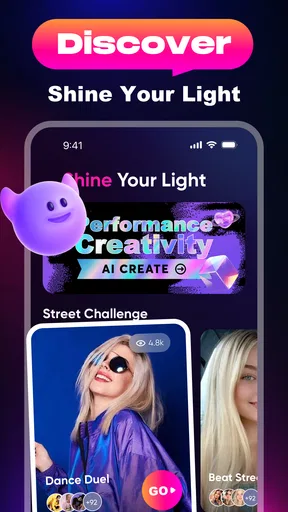

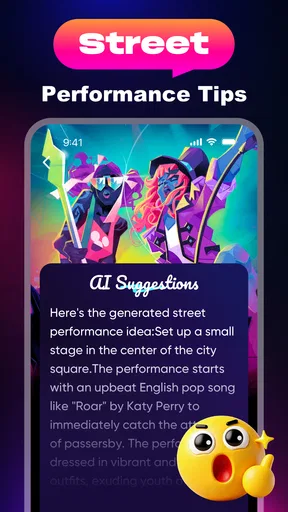
Our Review of Yikop - Video Chat,Share
 Analysis by Appyee
I like social apps best when they make it easy to move from browsing to an actual conversation, without asking me to treat every interaction as a performance. Yikop - Video Chat, Share brings video chat and social sharing together, with an emphasis on meeting people as well as keeping up with friends. That mix can suit someone who wants more spontaneity than a conventional messaging app offers, though it also means the experience depends heavily on how comfortable you are with open-ended social discovery.
A sensible way to begin
My advice is to approach Yikop with one clear goal for your first session: either explore the social side or catch up with someone you already know. Trying to do everything at once can make a new social app feel busy, especially when video, posts and stories all compete for attention. A short first visit gives you time to understand the layout and decide which parts are genuinely useful to you.
For a familiar contact, start with a simple conversation rather than spending time preparing a polished profile of your day. For meeting someone new, keep the first exchange brief and conversational. That small distinction helps set expectations: a quick introduction does not need to turn into a lasting friendship, and a call with someone you already know does not need the same caution as a random connection.
Who will get the most from it
Yikop is most appealing to people who enjoy face-to-face online conversation and are open to meeting strangers. It may also work for users who like sharing casual moments, rather than keeping every interaction inside private messages. If video is what makes a conversation feel more human to you, combining it with social posts can be more engaging than switching between separate apps.
By contrast, I would choose a standard messaging app for private, ongoing conversations with a known group, and a more curated social network if I wanted carefully controlled audience boundaries. Yikop’s blend is less suited to anyone who dislikes spontaneous contact, wants a quiet feed, or prefers not to appear on camera. You can still use social apps selectively, but the random-chat element is central enough that it may not be the right fit for those preferences.
A realistic everyday routine
Imagine having a free half-hour after work and wanting a little company without arranging a formal call. I would open Yikop, decide whether I felt like browsing or actually talking, and avoid starting a video conversation while walking through a noisy public place. If I found a useful or enjoyable interaction, I could follow up through the app’s sharing side; if it was not a match, I could simply end the exchange and move on.
That routine works best when you set a personal limit before opening a social discovery feature. A time boundary can stop casual browsing from turning into an endless search for the “perfect” conversation. It also makes the app easier to fit around daily life: use it when you have attention to give, rather than treating every notification as an invitation to respond immediately.
First Impressions
Downloading and setting up Yikop - Video Chat, Share was a breeze. The app is available on both Android and iOS, so no one's left out. Once you open it, you're greeted with a sleek interface that's as intuitive as it is stylish. The colors and layout are easy on the eyes, making navigation a piece of cake.
Features That Stand Out
Now, let's talk about what really makes Yikop shine. The app offers high-quality video calls that are surprisingly smooth. Even with a mediocre internet connection, the calls are clear, and the audio syncs perfectly. This is a game-changer for anyone tired of laggy, pixelated calls.
But wait, there's more! Yikop isn't just about video calls. It's also a fantastic platform for sharing moments with friends. You can post photos, videos, and even stories. The app's built-in editing tools are quite handy, allowing you to add a personal touch to your posts before sharing them with the world.
Meeting New People
If you're in the mood to expand your social circle, Yikop has you covered. The app's random video chat feature is a fun way to meet people from all walks of life. You never know who you're going to connect with next, and that's part of the excitement. It's like having a pen pal, but with instant video communication.
For those concerned about safety, Yikop has implemented several measures to ensure a secure environment. You can easily report or block users who don't follow community guidelines, giving you control over your interactions.
Making settings and habits work for you
I would check the settings before I post or start meeting people, especially the controls for notifications and privacy that make the app easier to use on my terms. Decide whether you want alerts to pull you back into the app during the day, and review the audience choices available when sharing. A useful habit is to treat each post as something you would be comfortable showing beyond your closest circle unless you have deliberately chosen a narrower audience.
When a conversation feels uncomfortable, the practical response is not to negotiate with the other person indefinitely. End the interaction and use the block or report options where appropriate. Those tools give you a way to respond to unwanted behavior, but they are not a substitute for caution: keep identifying details private, and do not assume that a friendly video call establishes trust.
For younger users, the age guidance matters, and I would encourage a parent or guardian to discuss safe video-chat habits rather than relying on an app setting to do all the work. In general, avoid sharing your home address, workplace or daily schedule with someone you have just met. These are simple boundaries, but they make open social discovery more manageable.
Faster patterns without making it a chore
Once you know which parts you enjoy, repeat a simple sequence instead of wandering through every screen: check the settings that affect your session, choose whether you are there to talk or share, then leave when that purpose is met. That sounds basic, but it prevents a common social-app trap: opening the app for one quick conversation and losing track of time among unrelated activity.
Sharing can be more comfortable when you prepare a photo or short clip with a specific audience in mind, then use the editing tools only to make it clearer or more personal. I would avoid posting simply because the option is there. A smaller number of posts that reflect what you actually want to share is often easier to manage than a stream of updates made on impulse.
For calls, choose a quiet place and check that you are comfortable being on camera before connecting. If the connection starts to falter, pausing or switching to a later conversation is more sensible than forcing a frustrating exchange. The original appeal of video is seeing and hearing another person naturally; when the setting or connection gets in the way, a text-based alternative may be the better choice for that moment.
Where the experience has limits
Yikop sits between a video-calling tool and a social network, rather than replacing either one completely. A dedicated calling app is usually the more predictable choice when everyone already knows one another and the only goal is to talk. A conventional social platform may be preferable when you want a familiar feed and carefully managed circles. Yikop’s distinguishing appeal is the possibility of moving between sharing and meeting people, but that openness can also feel less controlled.
The app is free to start, while optional in-app purchases range from $0.99 to $99.99 per item. I would explore the basic experience first and make a purchase only if I clearly understood what it adds and expected to use it. A broad price range is a good reason to pause before confirming anything, particularly if you are trying the app casually rather than using it as part of a regular social routine.
Yikop is rated Teen, and its developer is Chengdu Dream Linkage Technology Co., Ltd. It has an average rating of 4.1 from around 1.9 thousand ratings, with 40 written reviews and over 1 million installs. Those figures suggest that it has found an audience, but they cannot tell you whether its style of conversation will suit you personally. I would judge it by whether the interactions feel worthwhile and whether the controls let you use it comfortably.
Usability
One of the things I appreciate about Yikop is its user-friendly design. Even if you're not tech-savvy, you'll find it easy to navigate through the app's features. The settings menu is straightforward, allowing you to customize your experience effortlessly. Whether you want to tweak your notifications or adjust privacy settings, it's all there at your fingertips.
Room for Improvement
No app is perfect, and Yikop is no exception. While it's generally a smooth experience, there are occasional glitches during video calls. However, these are few and far between, and the developers seem committed to ironing out any issues as they arise.
The app also could benefit from more robust privacy settings. While the current options are adequate, having more granular control over who can view your posts would be a nice addition.
Final Thoughts
All in all, Yikop - Video Chat, Share is a fantastic app for anyone looking to connect with others through high-quality video chats and engaging social interactions. It's a well-rounded app that's both fun and functional, making it a worthy addition to your smartphone.
If you're ready to make new friends, share your life, and explore the world from the comfort of your home, give Yikop a try. It's not just an app; it's a window to a world of endless possibilities.
For anyone deciding whether to install it, I would frame the choice around comfort rather than novelty. If you are happy to meet people through spontaneous video and can keep sensible boundaries, Yikop offers a different kind of social outing from scrolling a familiar feed. If your priority is predictable contact with friends, minimal exposure, or detailed control over who sees every post, a focused messenger or a more tightly organized network will probably suit you better.
The app is free, developed by Chengdu Dream Linkage Technology Co., Ltd., and its current version is 1.1.11. It was released on December 6, 2024, and requires Android 5.0 or later. Its Teen age rating is worth considering for households, especially because connecting with unfamiliar people calls for clear rules about personal information and when to leave a conversation.
My overall recommendation is to try it with a modest routine rather than expecting it to become your all-purpose social hub. Start with the parts you actually want—video conversation or sharing—check the controls that matter to you, and keep purchases optional until you have a reason to make one. Used that way, Yikop can be an enjoyable way to add a little spontaneity to online social life, while its open-ended nature remains a real trade-off rather than something every user has to accept.
Verdict
Strengths of Yikop - Video Chat,Share
- Smooth and user-friendly interface.
- High-quality video streaming.
- Various chat customization options.
- Fast and reliable connectivity.
- Secure login and data protection.
Limitations of Yikop - Video Chat,Share
- Limited free features.
- Occasional ad interruptions.
- Requires constant internet connection.
- Battery consumption is high.
- In-app purchases can be expensive.
Similar Picks in This Category
View All
SmartThings
Samsung Electronics Co., Ltd.4.6

Google Home
Google LLC4.0

Pinterest4.2

Astrotalk - Talk to Astrologer
Astrology & Horoscope4.7

My Verizon
Verizon Consumer Group4.5

Samsung Wallet (Samsung Pay)
Samsung Electronics Co., Ltd.4.1
Frequently Asked Questions
What is Yikop and how does it work?
Yikop is a video chat application that allows users to connect and communicate with friends or strangers through live video calls. It also offers features for sharing content, making it easy to share moments and experiences in real-time. The app is designed to be user-friendly, providing a seamless video chatting experience with just a few taps.
Is Yikop safe to use, and how is my privacy protected?
Yikop prioritizes user safety and privacy by implementing various security measures. These include end-to-end encryption for video calls and data, as well as strict privacy policies. Users can report or block inappropriate behavior and have control over their personal information and who can contact them through the app’s settings.
What are the main features of Yikop that set it apart from other video chat apps?
Yikop stands out with its unique sharing features, allowing users to easily share videos and photos during a chat session. The app also supports group video calls, making it suitable for social gatherings or business meetings. Additionally, Yikop offers a variety of chat filters and effects to enhance user interaction and fun.
Do I need to pay to use Yikop, or is it free?
Yikop is free to download and use, offering a variety of features at no cost. However, there may be optional in-app purchases or subscription plans that provide additional features or enhancements. Users can enjoy the core functionalities without any payment, making it accessible to everyone.
Which devices are compatible with Yikop, and where can I download it?
Yikop is compatible with both Android and iOS devices, ensuring wide accessibility for users. It can be downloaded from the Google Play Store for Android users and the Apple App Store for iOS users. The app is regularly updated to ensure compatibility with the latest operating systems.
